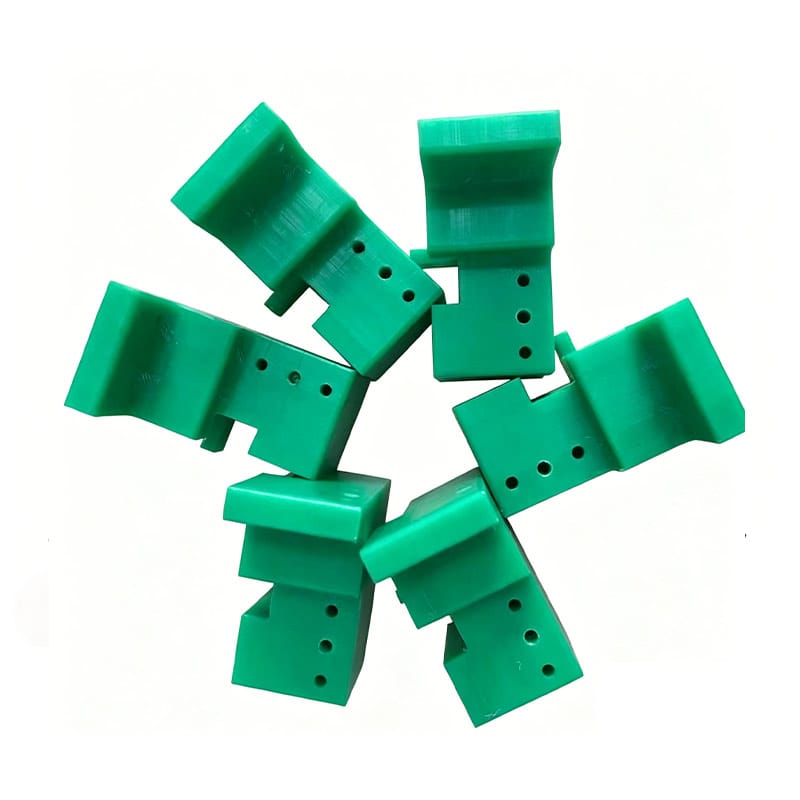
Requesting a quotation for one custom UHMWPE component is usually straightforward.
A buyer sends a drawing, specifies the material and quantity, and waits for the manufacturer to review the part.
The process becomes more complicated when the project contains 20, 50 or even 100 similar components.
Some parts may share the same thickness but use different hole patterns. Others may have nearly identical outside dimensions but different pocket depths, slots, colors or quantities. Several revisions may already exist, and different departments may have saved drawings using inconsistent file names.
At that point, quoting parts one by one becomes inefficient and risky.
A well-organized UHMWPE parts drawing package can solve much of this problem.
Instead of sending disconnected files across multiple emails, the buyer provides a controlled package that connects each part number to the correct drawing, material, revision, quantity and inspection requirement.
For OEM equipment manufacturers, conveyor builders, automation companies and maintenance teams, a structured UHMWPE parts drawing package can reduce quotation time, eliminate duplicate questions and make future repeat orders easier to control.
Paowo Group manufactures custom UHMWPE machined parts for OEM and industrial applications and can review drawing packages containing families of related components.
What Is a UHMWPE Parts Drawing Package?
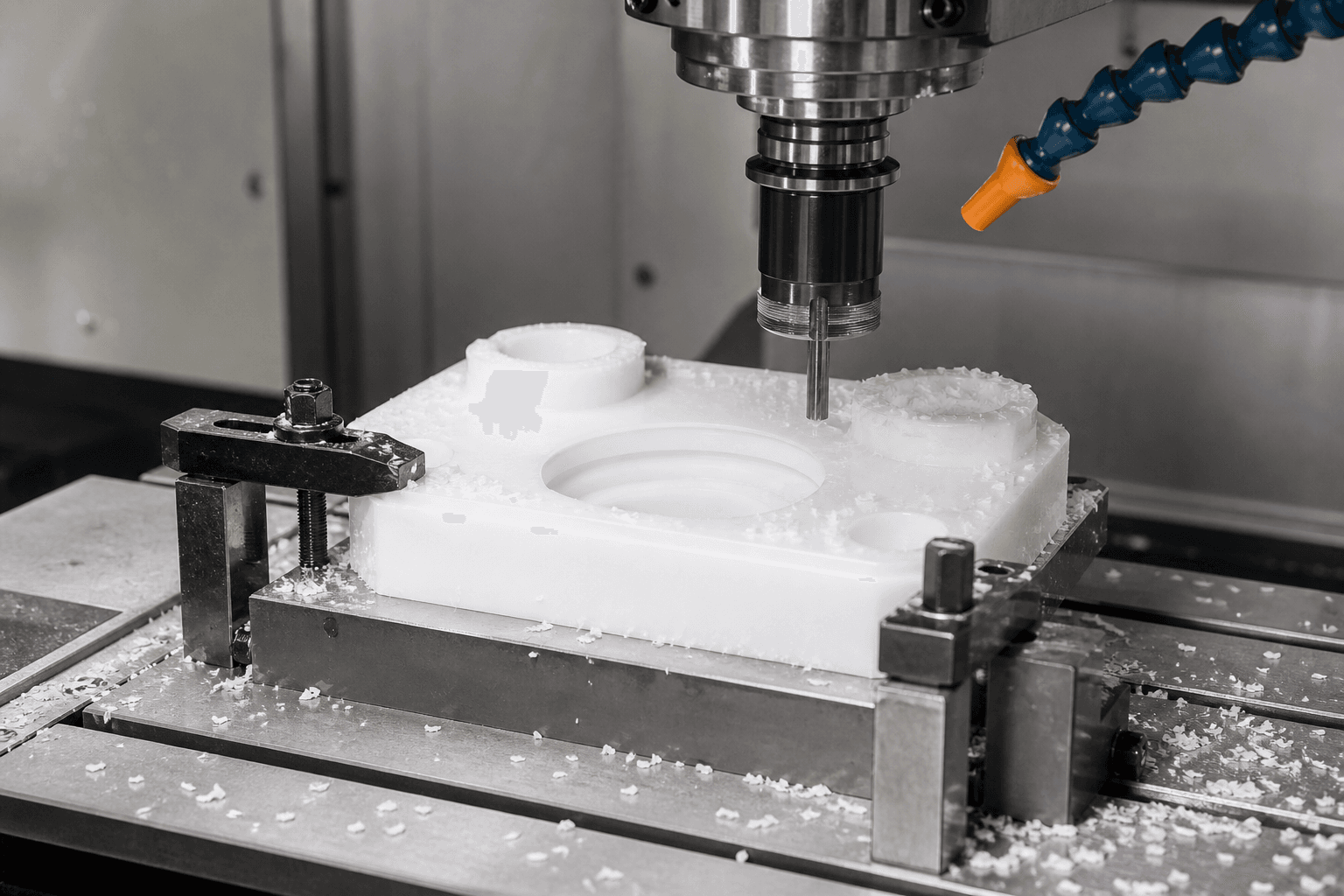
A UHMWPE parts drawing package is a controlled set of files used to define a group of custom components for quotation and manufacturing.
A typical package may contain:
- BOM or parts list
- 2D drawings
- STEP files
- DXF files where needed
- Material requirements
- Quantity requirements
- Drawing revisions
- Inspection notes
- Packaging requirements
The purpose is not simply to collect every file into one folder.
The package should make it easy for the supplier to answer:
- Which parts are included?
- Which drawing belongs to each part?
- Which revision is current?
- What material is required?
- How many pieces are needed?
- Which dimensions are critical?
- Which parts belong together?
A good UHMWPE parts drawing package reduces interpretation.
Why Similar UHMWPE Parts Are Surprisingly Easy to Mix Up
Families of UHMWPE components often contain small differences.
For example, six conveyor wear blocks may have:
- The same outside dimensions
- The same material
- The same thickness
but different:
- Hole locations
- Slots
- Orientation
- Mounting features
If the files are poorly named, it becomes easy to manufacture the wrong version.
The same problem can occur when two parts have nearly identical names such as:
- GUIDE-01
- GUIDE-01A
- GUIDE-01B
A structured UHMWPE parts drawing package should make each part uniquely identifiable.
Start with a Master BOM
The BOM should act as the index for the entire RFQ.
At minimum, include:
- Item number
- Part number
- Drawing number
- Revision
- Material
- Quantity
Additional fields may include:
- Color
- Thickness
- Process
- Inspection level
- Notes
A simple BOM allows the supplier to understand the project before opening every individual drawing.
Why Part Numbers Matter
Every custom part should have a unique part number.
Avoid naming files only by description, such as:
- Plastic block
- White guide
- Left piece
- New bracket
These names are too vague for long-term OEM control.
A UHMWPE parts drawing package should use part numbers consistently across:
- BOM
- 2D drawing
- STEP file
- Purchase order
- Packaging label
If the part number is PA-1025, every related file should make PA-1025 easy to identify.
File Naming Should Follow a Consistent Format
Consistent file names reduce confusion when dozens of files are being reviewed.
A useful structure might be:
PartNumber_Revision_FileType
For example:
- PA1025_REV-B_DRAWING.pdf
- PA1025_REV-B_MODEL.step
- PA1025_REV-B_PROFILE.dxf
This makes the UHMWPE parts drawing package easier to audit.
Avoid sending files with names such as:
- final.pdf
- final2.pdf
- latest.step
- new-new.dxf
Those names become unreliable as soon as the project changes.
Drawing Revision Control Is Essential
Revision control becomes critical when similar parts are ordered repeatedly.
Suppose revision A used:
- 10 mm hole diameter
and revision B changed it to:
- 12 mm hole diameter
If both files remain in the package without clear control, the manufacturer may quote or produce the wrong version.
Every UHMWPE parts drawing package should clearly identify the approved revision.
Include the Revision in the BOM
The BOM should contain a revision column.
For example:
| Part Number | Revision | Material | Quantity |
|---|---|---|---|
| PA1025 | B | UHMWPE | 50 |
| PA1026 | A | UHMWPE | 20 |
| PA1027 | C | UHMWPE | 100 |
This allows the supplier to compare the BOM against the drawings.
If the BOM says revision B but the attached drawing says revision A, the discrepancy can be identified before quotation.
Remove Obsolete Files from the RFQ Folder
Do not send old drawings “just in case” unless they are specifically needed for reference.
Too many obsolete files increase the chance of error.
If previous versions must be included, place them in a clearly marked archive folder.
The active UHMWPE parts drawing package should contain only the files needed for the current quotation.
Why a 2D Drawing Is Still Important
A STEP file is extremely useful for CNC programming and geometry review.
But it usually does not define every manufacturing requirement.
A 2D drawing can communicate:
- Material
- Tolerances
- Hole requirements
- Surface notes
- Revision
- Critical dimensions
For custom OEM/ODM UHMWPE projects, the strongest package normally includes both 2D and 3D files.
What the STEP File Should Do
The STEP file should define the part geometry.
It is particularly useful for:
- Complex pockets
- Curved surfaces
- 3D contours
- Multiple machining operations
The STEP file and 2D drawing should describe the same revision.
If they disagree, the supplier needs to know which document controls the final part.
A clear UHMWPE parts drawing package removes that ambiguity.
When DXF Files Are Useful
DXF files can be useful for:
- Flat profiles
- 2D cutting
- Router paths
- Waterjet or cutting references
They are particularly helpful when a component is primarily a flat shape with:
- Holes
- Slots
- Outside profile
However, DXF files should not replace a dimensioned drawing when tolerances and notes are important.
Specify the Material for Every Part
Do not assume every component in the package uses the same material.
A family of similar parts may include:
- UHMWPE
- HDPE
- POM
- Other engineering plastics
Even within UHMWPE, requirements may vary.
Possible material specifications include:
- Virgin UHMWPE
- Specific color
- Antistatic grade
- UV-stabilized grade
- Customer-approved grade
The UHMWPE parts drawing package should connect the material requirement to each individual part.
Avoid Vague Material Descriptions
Descriptions such as:
- Plastic
- PE
- Engineering plastic
are not precise enough.
If UHMWPE is required, state UHMWPE.
If a specific grade is required, identify it.
If the manufacturer may recommend the material, write that clearly in the RFQ rather than leaving the field blank.
Quantity Should Be Listed by Part Number
Quoting accuracy depends heavily on quantity.
Machining strategy for:
- 2 pieces
may be very different from:
- 500 pieces.
The UHMWPE parts drawing package should provide quantity for each item.
Avoid sending one total quantity for the entire family.
A supplier needs to know whether one part requires 10 pieces while another requires 1,000.
Include Prototype and Production Quantities Separately
For a new OEM project, useful quantity fields may include:
- Prototype quantity
- First production batch
- Estimated annual demand
This helps the supplier evaluate:
- Fixturing
- CNC cycle strategy
- Material purchasing
- Inspection planning
A part that begins with five prototypes but later requires 5,000 pieces may justify a different manufacturing approach.
Group Similar Parts Logically
Families of similar parts should be grouped where possible.
Useful groupings may include:
- Same material
- Same thickness
- Same profile
- Same machining method
- Same equipment assembly
This can help the supplier identify manufacturing efficiencies.
For example, several UHMWPE blocks sharing the same thickness may be cut from the same raw sheet.
A well-organized UHMWPE parts drawing package makes those relationships visible.
Use a Common Drawing Where Appropriate
Sometimes several parts differ only in one or two dimensions.
In that case, a family drawing or parameter table may be appropriate.
For example:
| Part | Length | Hole Spacing |
|---|---|---|
| PA201 | 250 mm | 180 mm |
| PA202 | 300 mm | 230 mm |
| PA203 | 350 mm | 280 mm |
This can reduce drawing duplication.
However, family drawings should only be used when they remain easy to interpret.
If the table becomes too complicated, separate drawings may be safer.
Mark Critical Dimensions Clearly
Not every dimension needs the same tolerance.
For a UHMWPE parts drawing package, critical dimensions may include:
- Mounting-hole spacing
- Mating width
- Chain-guide groove
- Bearing position
- Assembly height
These should be clearly identified.
Non-critical dimensions can often use general tolerances.
This reduces machining and inspection cost while preserving function.
Avoid Metal-Style Tolerances Everywhere
UHMWPE has different dimensional behavior from steel or aluminum.
Applying unnecessarily tight tolerances to every dimension can increase:
- Machining time
- Inspection time
- Scrap risk
- Cost
The drawing should distinguish between:
functional dimensions and general geometry.
For more detail on UHMWPE machining behavior, buyers can reference Paowo Group’s custom UHMWPE machined parts capabilities.
Define a Common Tolerance Standard
For families of similar parts, it can be useful to establish one general tolerance note.
Individual drawings can then override that standard only where necessary.
This keeps the UHMWPE parts drawing package more consistent.
For example:
- General linear dimensions: agreed tolerance
- Critical holes: tighter tolerance shown individually
- Non-critical edges: general tolerance
The exact values should be agreed between buyer and manufacturer.
Identify Which Dimensions Require Inspection
If the supplier is expected to provide a dimensional report, identify the required inspection points.
Possible categories include:
- Critical only
- Full drawing inspection
- First article only
- Sampling inspection
Not every project requires a complete dimensional report for every piece.
Inspection expectations should be defined before quotation because they affect cost.
First Article Inspection for Part Families
When a UHMWPE parts drawing package contains many new components, producing the entire order immediately may create unnecessary risk.
A first article process can confirm:
- Material
- Geometry
- Mounting features
- Critical dimensions
The buyer can then approve the part before batch production.
For similar components, the inspection plan may be optimized by identifying which parts represent the most critical or complex geometry.
Define Whether Samples Are Required
Some buyers require:
- One sample of every part
- Samples only for selected components
- One first article per drawing revision
State this clearly.
If the supplier assumes full production is approved while the buyer expects samples first, project timing can be affected.
Material Certificates and Documentation
Different projects require different levels of documentation.
Possible requirements include:
- Technical data sheet
- Material certificate
- Certificate of conformity
- Batch identification
- Dimensional report
The UHMWPE parts drawing package should state which documents apply to each part family.
Do not wait until the order is complete to request documentation that needed to be controlled during production.
Color Requirements Should Be Included in the BOM
Color can be important for:
- Equipment identification
- Product family coding
- Brand appearance
- Maintenance
If several colors are used, specify color by part number.
Do not rely on drawing screenshots or rendered CAD color alone.
A 3D model may show blue simply for visualization, while the actual requirement is natural UHMWPE.
Mark Left-Hand and Right-Hand Parts Clearly
Mirrored components are easy to confuse.
The package should make left-hand and right-hand versions obvious.
Use clear part numbers such as:
- PA310-LH
- PA310-RH
rather than two files with nearly identical names.
This is especially useful for:
- Guides
- Wear blocks
- Machine-side components
Orientation Notes Can Prevent Assembly Errors
If a part has:
- Top
- Bottom
- Machine side
- Product side
- Flow direction
mark it on the drawing.
For UHMWPE wear components, orientation may affect:
- Mounting
- Wear surface
- Countersink direction
A clear UHMWPE parts drawing package should eliminate the need for the manufacturer to guess orientation.
Packaging Should Follow the Part Number System
Manufacturing is only part of the project.
The parts still need to reach the customer in a usable form.
Packaging should maintain the same identification system used in the drawings and BOM.
Labels may include:
- Part number
- Revision
- Quantity
- Purchase order
- Batch
This becomes especially important when dozens of similar UHMWPE parts arrive in the same shipment.
Consider Assembly-Based Packaging
If several parts belong to one machine assembly, buyers may request packaging by:
- Machine
- Installation section
- Conveyor line
- Assembly set
This can save warehouse and installation time.
For example:
Line 3 Guide Kit
may contain several different part numbers packed together according to the BOM.
How to Request a Quote for a UHMWPE Part Family
A structured RFQ can follow a simple process.
Prepare the Master BOM
List every part with:
- Part number
- Revision
- Material
- Quantity
Prepare Controlled Drawings
Confirm that every drawing shows the current revision.
Add 3D Files
Include STEP files for parts where they improve manufacturing review.
Define General Requirements
Provide one RFQ document describing:
- Material assumptions
- General tolerances
- Inspection
- Packaging
Highlight Exceptions
If one part uses:
- Different material
- Special color
- Different inspection
show that clearly in the BOM.
Send One Controlled Package
Avoid spreading critical files across multiple email threads.
A single UHMWPE parts drawing package is much easier to review.
How Suppliers Can Quote Similar Parts More Efficiently
A structured package allows the manufacturer to look for production efficiencies.
Possible opportunities include:
- Common raw material
- Shared fixtures
- Shared CNC programs
- Common inspection methods
- Batch cutting
These efficiencies can reduce unnecessary setup work.
However, the manufacturer can only identify them if the information is organized.
An incomplete UHMWPE parts drawing package forces the supplier to treat every item as a separate unknown part.
What Makes a Drawing Package Difficult to Quote?
Several common problems slow the process.
Missing Drawings
The BOM lists 30 parts, but only 27 drawings are included.
Revision Conflicts
The BOM says revision C while the drawing says revision B.
Duplicate Part Numbers
Two different geometries use the same part number.
Missing Quantity
The supplier does not know whether the quote is for one piece or 1,000.
Undefined Material
The drawing says only “plastic.”
No Critical Tolerance Information
The supplier cannot determine the required machining precision.
Multiple Email Versions
Some files arrive Monday, others Tuesday, and corrected files arrive Wednesday without a clear superseding package.
These problems can create errors before manufacturing even begins.
How to Handle Drawing Revisions After RFQ
Changes during quotation are common.
If the buyer modifies a part, issue a controlled revision.
The update should identify:
- Which part changed
- Old revision
- New revision
- What changed
- Whether the previous quotation should be updated
Do not simply send a replacement file called “new version.”
The UHMWPE parts drawing package should always preserve revision traceability.
How to Handle Engineering Changes After Production Starts
Changes after production begins require even more control.
Possible statuses may include:
- Material not ordered
- Material prepared
- Machining started
- Parts completed
The buyer and supplier should determine:
- Whether existing work can be used
- Whether parts require rework
- Whether new production is needed
A controlled drawing system makes these decisions much easier.
Why BOM Version Control Matters Too
The drawings are not the only files that can change.
The BOM itself should also have:
- Version
- Date
- Project reference
If quantity or part scope changes, issue a revised BOM.
This prevents the manufacturer from using an old quantity list with new drawings.
What Information Should Be Included in the RFQ Cover Sheet?
A simple cover sheet can summarize the project.
Include:
- Customer/project name
- RFQ number
- BOM revision
- Number of part numbers
- Required delivery date
- Delivery destination
- Contact person
- Inspection requirements
The cover sheet acts as the starting point for the UHMWPE parts drawing package.
UHMWPE Parts Drawing Package FAQ
Do I Need Both STEP Files and PDF Drawings?
For many custom projects, yes. STEP files provide geometry, while 2D drawings define tolerances, material, revision and manufacturing notes.
What Is the Most Important File in a Multi-Part RFQ?
The BOM is often the best master index because it connects each part number with revision, material and quantity.
Should Every UHMWPE Part Have a Unique Part Number?
Yes. Unique part numbers improve quotation, production, inspection and repeat-order control.
How Should Similar Parts Be Named?
Use a structured naming system that clearly distinguishes each part. Avoid vague file names such as “final” or “new.”
Can Similar UHMWPE Parts Use One Family Drawing?
Yes, when the differences can be expressed clearly through a dimension table or controlled configuration system.
:::writing{variant="document" id="46319" title="How to Quote a Family of Similar UHMWPE Parts with a Drawing and BOM Package (Continuation)"}
Should I Include Annual Quantity?
Yes. Annual quantity can materially affect how the manufacturer plans the project.
A supplier may use one machining strategy for:
- Five prototypes
- Fifty first-production pieces
- Several thousand repeat parts per year
Providing estimated annual demand helps the manufacturer evaluate:
- Raw-material purchasing
- Fixture design
- CNC programming strategy
- Batch size
- Inspection frequency
- Packaging method
Your UHMWPE parts drawing package should ideally separate:
- Prototype quantity
- Initial production quantity
- Estimated annual demand
These figures do not need to be guaranteed forecasts, but realistic estimates can help the supplier prepare a more appropriate quotation.
What Happens if I Change a Drawing During Quotation?
Issue a new controlled revision.
The updated package should clearly identify:
- Part number
- Previous revision
- New revision
- Date of change
- What changed
- Whether the existing quotation must be updated
Avoid sending a replacement attachment named “latest” or “final version.”
The purpose of revision control is to make it obvious which file supersedes the previous version.
For a multi-part UHMWPE parts drawing package, it is also useful to issue an updated BOM showing the new drawing revision.
Do I Need First Article Inspection for Every Part?
Not necessarily.
The appropriate inspection strategy depends on:
- Part complexity
- Functional risk
- Quantity
- Similarity between parts
- Customer quality requirements
For example, if several parts share the same basic machining process but differ only in length, it may not be necessary to create an extensive first article report for every item.
However, unique or critical components may justify separate first article approval.
The inspection scope should be agreed before production.
Can Similar Parts Share the Same Material Certificate?
Potentially, if the parts are produced from the same identified material batch and the documentation meets the customer’s requirements.
However, traceability expectations should be specified clearly.
For example, the buyer may require:
- One certificate per material batch
- One certificate per shipment
- Material identification linked to specific part numbers
Do not assume the required documentation structure after manufacturing has already been completed.
Should Left-Hand and Right-Hand Parts Have Different Part Numbers?
Yes, in most OEM systems this is the clearest approach.
Even when the components are simple mirror images, unique part numbers reduce the risk of:
- Manufacturing the wrong orientation
- Packing the wrong part
- Installing the wrong component
- Ordering the wrong spare
A clear UHMWPE parts drawing package might use identifiers such as:
- PA310-LH
- PA310-RH
rather than one ambiguous drawing with handwritten orientation notes.
Can One Drawing Cover Several Similar UHMWPE Parts?
Yes, when the dimensional differences are simple and clearly controlled.
A family drawing may use a table showing variables such as:
- Length
- Width
- Hole spacing
- Slot position
This can reduce drawing duplication.
However, if the table becomes difficult to interpret, individual drawings are safer.
Clarity should take priority over minimizing the number of documents.
Should Every STEP File Match the Drawing Revision?
Yes.
The 3D model and 2D drawing should represent the same geometry.
If the drawing is Revision C but the STEP file still represents Revision B, the manufacturer needs to stop and resolve the conflict before production.
For controlled OEM manufacturing, the UHMWPE parts drawing package should make the relationship between:
- Part number
- Drawing
- STEP file
- Revision
unambiguous.
Can Paowo Review a Large Multi-Part Drawing Package?
Yes.
Paowo Group can review custom UHMWPE machined parts either individually or as a family of related OEM components.
For larger projects, providing a controlled BOM and consistent file structure helps the manufacturing team review:
- Materials
- Quantities
- Machining similarities
- Critical dimensions
- Inspection requirements
- Packaging
more efficiently.
UHMWPE Parts Drawing Package Checklist
Before sending an RFQ, review the complete package.
Master BOM
Confirm that the BOM contains:
- Part number
- Drawing number
- Revision
- Material
- Color if required
- Quantity
- Notes
Every part in the quotation should appear in the BOM.
2D Drawings
Check that each drawing includes:
- Correct part number
- Current revision
- Material
- Dimensions
- Critical tolerances
- Orientation where necessary
- Drawing units
Remove obsolete drawings from the active RFQ folder.
3D Files
For each required STEP file, confirm:
- Correct part number
- Correct geometry
- Matching revision
- No obsolete models
If a 3D file is only for reference and the 2D drawing controls production, state that clearly.
Material Requirements
Identify:
- UHMWPE grade
- Virgin or other required formulation
- Color
- Special additives
- Regulatory or compliance requirements
- Required material documentation
Do not rely on vague descriptions such as “PE plastic.”
Quantities
Provide:
- Prototype quantity
- First production batch
- Estimated annual demand
If quantity is uncertain, provide the best realistic forecast and mark it as an estimate.
Critical Dimensions
Identify the dimensions that control:
- Assembly
- Alignment
- Fit
- Movement
- Interchangeability
Avoid applying unnecessarily tight tolerances to non-functional features.
Inspection Requirements
Specify whether the project requires:
- First article inspection
- Critical-dimension report
- Full dimensional report
- Sampling inspection
- Material documentation
- Batch traceability
This information should be available during quotation.
Revision Control
Confirm:
- Drawing revision
- BOM revision
- STEP file revision
- RFQ revision
Delete or archive superseded files rather than leaving multiple versions in the active package.
Packaging
Define:
- Part labels
- Quantity per package
- Revision labels
- Assembly-based packaging
- Pallet requirements
- Protection for long or thin components
Packaging should preserve the same part-number system used throughout the UHMWPE parts drawing package.
Commercial Information
Include:
- RFQ number
- Required delivery date
- Delivery destination
- Incoterm if already defined
- Contact person
This prevents technical and commercial information from becoming separated across multiple email threads.
Example Folder Structure for a UHMWPE Parts Drawing Package
A simple controlled folder structure can make a large RFQ much easier to review.
For example:
“text PAOWO-RFQ-2026-015/ │ ├── 00_RFQ_Cover/ │ └── RFQ-2026-015-Cover.pdf │ ├── 01_BOM/ │ └── RFQ-2026-015-BOM-REV-B.xlsx │ ├── 02_2D_Drawings/ │ ├── PA1025_REV-B_DRAWING.pdf │ ├── PA1026_REV-A_DRAWING.pdf │ └── PA1027_REV-C_DRAWING.pdf │ ├── 03_STEP_Files/ │ ├── PA1025_REV-B_MODEL.step │ ├── PA1026_REV-A_MODEL.step │ └── PA1027_REV-C_MODEL.step │ ├── 04_DXF/ │ └── Required flat-profile files │ ├── 05_Quality_Requirements/ │ └── Inspection-and-documentation.pdf │ └── 06_Reference_Photos/ └── Application and existing-part photos “
The exact folder names are not important.
Consistency is.
A supplier should be able to open the package and understand which documents control the quotation without searching through multiple email attachments.
How to Compare Quotations for a Family of UHMWPE Parts
Once several suppliers return quotations, compare more than the total price.
Make sure each supplier has interpreted the same UHMWPE parts drawing package.
Check Quoted Revisions
Confirm that each quotation references the correct drawing revisions.
A cheaper quotation based on an obsolete drawing is not a valid comparison.
Check Material
Verify that suppliers are quoting the same:
- UHMWPE grade
- Color
- Material requirements
Check Quantities
Make sure pricing uses the same prototype and production quantities.
Check Machining Scope
Determine whether the quotation includes:
- CNC milling
- Drilling
- Countersinking
- Deburring
- Part marking
Check Inspection
Confirm whether:
- First article
- Dimensional reporting
- Material documentation
are included or charged separately.
Check Tooling or Fixture Charges
A supplier may quote:
- Lower unit cost
- Separate fixture charge
Another may include fixture preparation in the unit price.
Compare total project cost using the same scope.
Check Packaging
For a large part family, labeling and organization can materially affect receiving and assembly.
A quotation that includes controlled part labeling may offer more value than one delivering similar-looking components in mixed cartons.
How a Good Drawing Package Helps Repeat Orders
The benefits of a structured UHMWPE parts drawing package continue after the first order.
Once the project is controlled by:
- Part number
- Revision
- Material
- Inspection
- Packaging
repeat purchasing becomes much easier.
Instead of sending all technical information again, a future purchase order can reference:
- Part number
- Revision
- Quantity
Changes can then be managed through controlled drawing revisions.
This reduces the risk of dependence on informal communication or individual employee memory.
Why This Matters for Long-Term OEM Supply
OEM projects may remain active for years.
During that time:
- Engineers change
- Buyers change
- Suppliers change personnel
- Designs are revised
- Quantities increase or decrease
A controlled UHMWPE parts drawing package creates a common technical reference that survives those personnel changes.
This is particularly valuable for custom wear components because several generations of similar parts may remain in service at the same time.
The part number and revision should identify exactly which version belongs to which machine.
Common Final Checks Before Sending the RFQ
Before uploading or emailing the package, perform one final review.
Ask:
- Does every BOM line have a drawing?
- Does every drawing have a unique part number?
- Do revisions match?
- Are quantities included?
- Is the material clear?
- Are critical tolerances identified?
- Are obsolete files removed?
- Are inspection requirements defined?
- Is packaging clear?
- Does the STEP geometry match the 2D drawing?
Ten minutes spent checking the package can prevent days of clarification later.
Conclusion
A family of similar custom UHMWPE components should not be quoted as dozens of disconnected drawings.
A controlled UHMWPE parts drawing package provides a much cleaner procurement structure.
The package should connect every component to:
- A unique part number
- Current drawing revision
- Correct CAD model
- Material requirement
- Quantity
- Critical dimensions
- Inspection requirements
- Packaging requirements
The BOM acts as the master index.
The drawings define manufacturing requirements.
The STEP files communicate geometry.
Revision control ensures that everyone is working from the same design.
For buyers, this approach improves:
- Quotation accuracy
- Supplier comparison
- Engineering-change management
- Repeat-order control
- Quality traceability
For manufacturers, it reduces the need to interpret fragmented files and makes it easier to identify common materials, machining strategies and fixtures across a family of parts.
Most importantly, a controlled drawing package reduces avoidable mistakes before material is cut.
Paowo Group provides custom UHMWPE machined parts and OEM/ODM customization for prototypes, small batches and repeat-production industrial plastic components.
Request a Quote
Send Paowo Group your complete UHMWPE parts drawing package, including:
- Master BOM
- Part numbers
- Drawing revisions
- 2D PDF drawings
- STEP files
- Material specifications
- Prototype quantities
- Production quantities
- Estimated annual demand
- Critical tolerances
- Inspection requirements
- Packaging and labeling instructions
Paowo can review the package as one OEM manufacturing project, identify missing or conflicting information, and prepare a quotation based on the controlled part family rather than quoting each file in isolation.